AI meeting transcription and synthesis
Transcribe meetings across Zoom, Teams, and Google Meet, extract what matters, and turn calls into follow-up documents without switching tools.

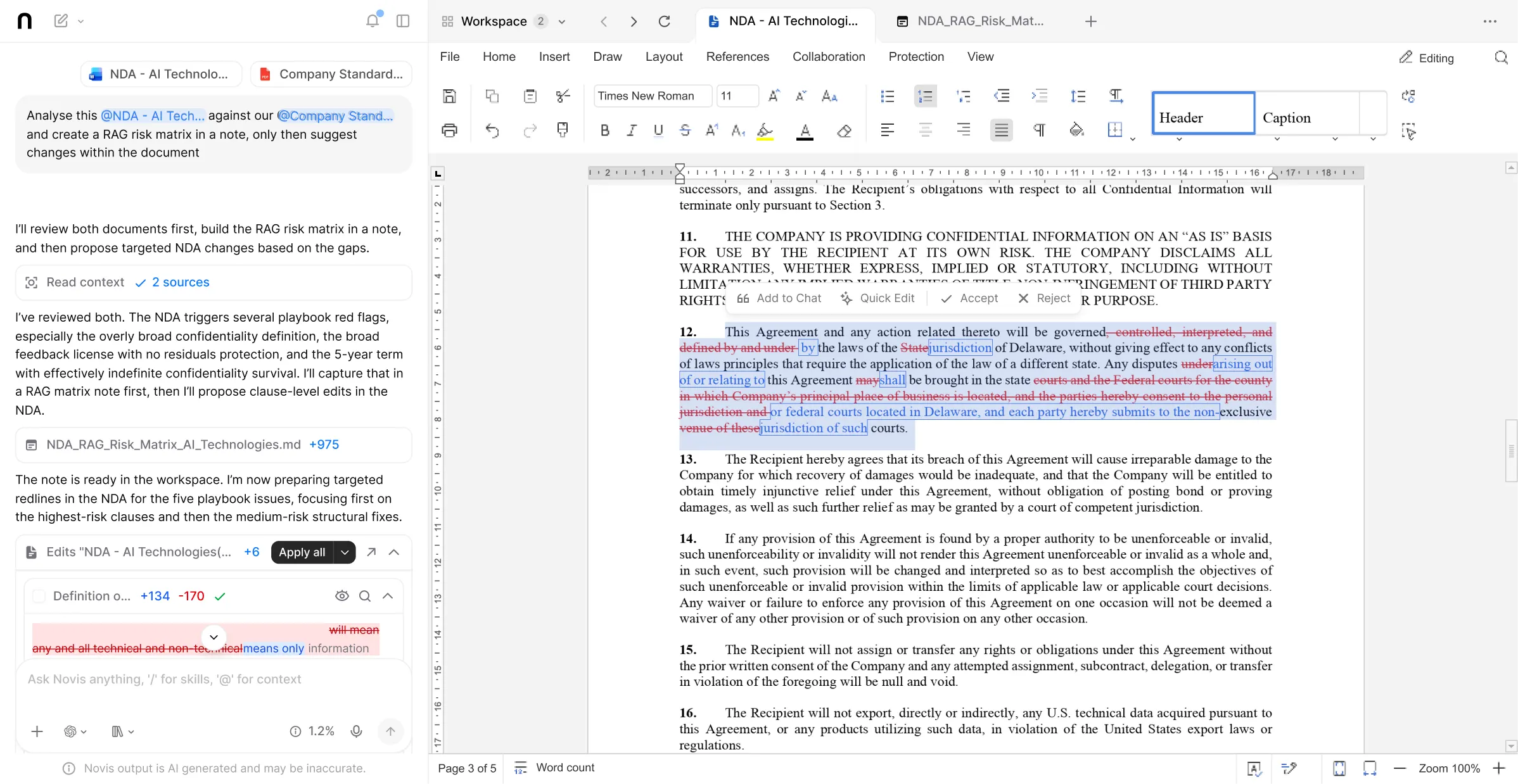
How it works
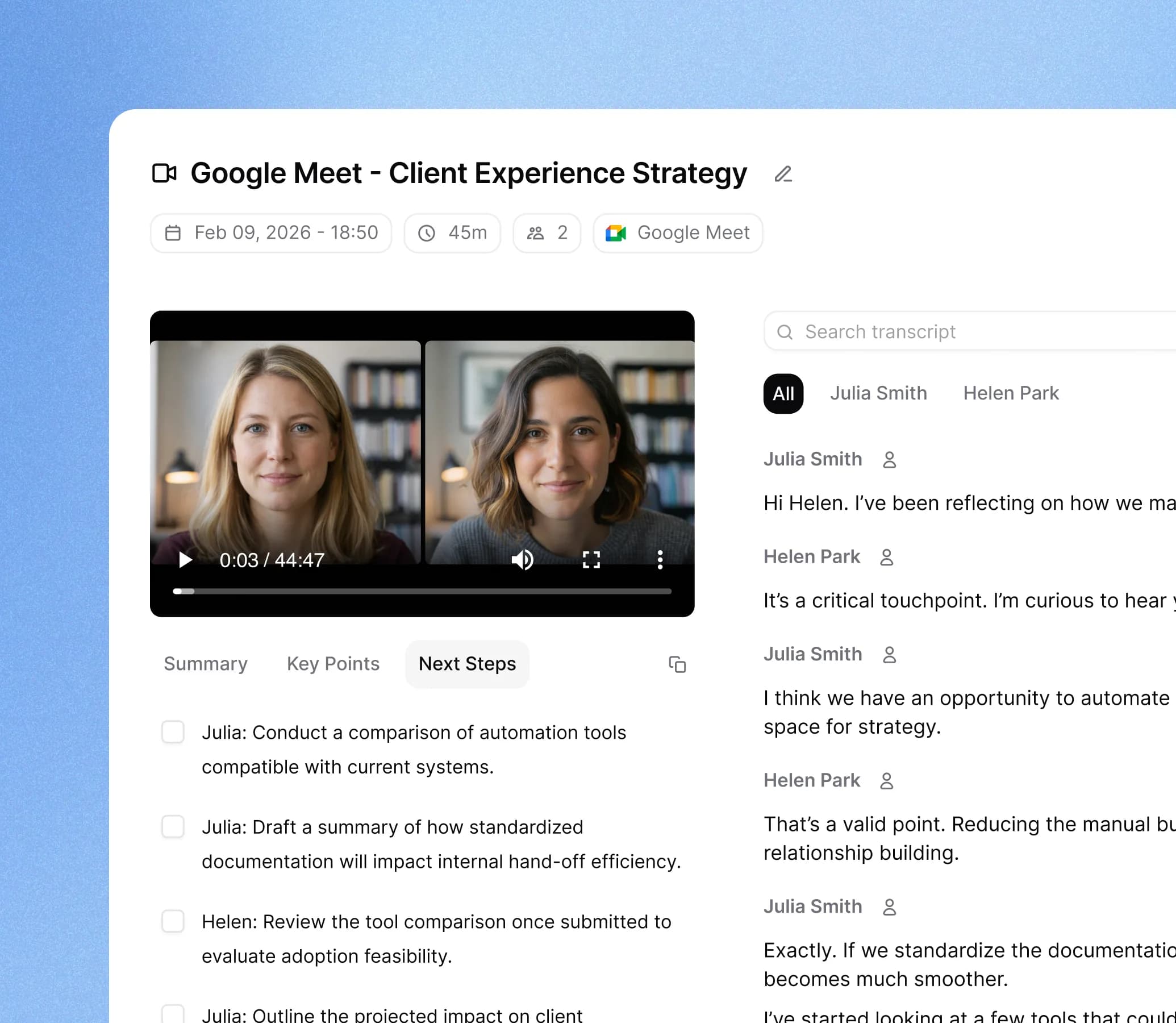
Record or upload
Connect meeting bots to Zoom, Teams, or Google Meet, record live on your desktop, or upload any audio or video file.
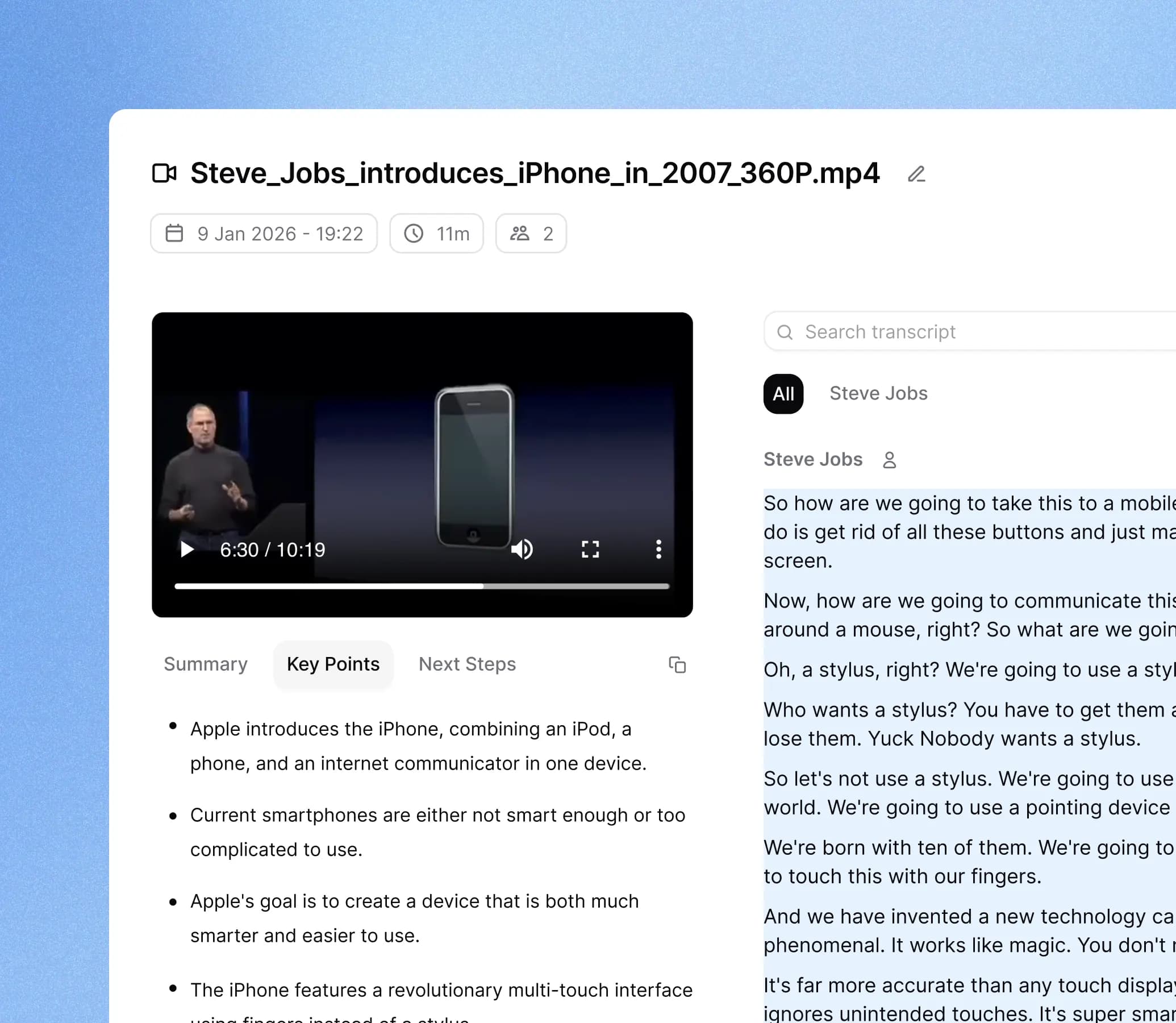
Extract what matters
Novis surfaces action items, key decisions, open questions, and themes from the transcript. Ask specific questions cited to the transcript.
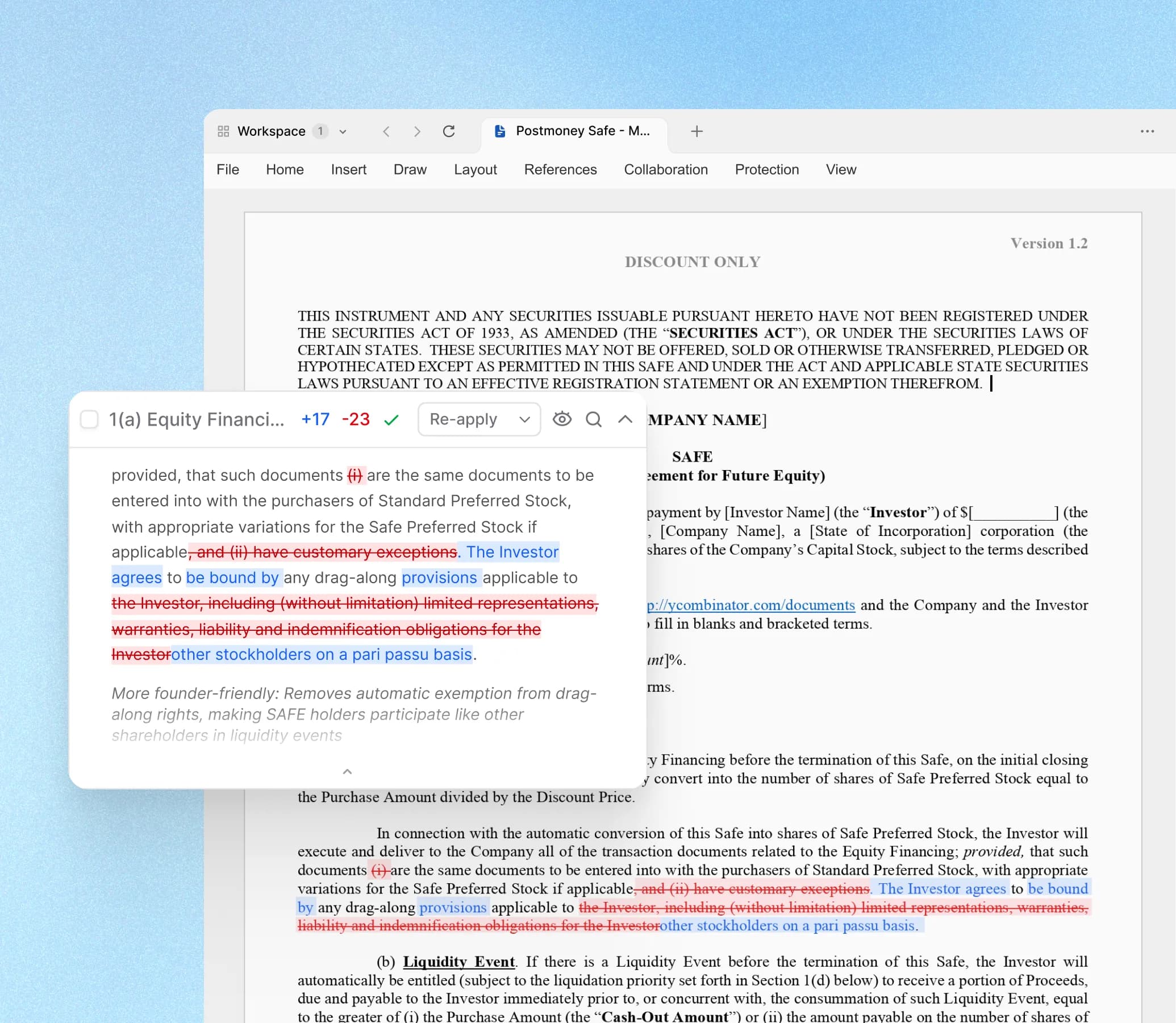
Produce the follow-up
Draft follow-up memos, action logs, and client briefings natively in Word from the transcript content without manual rewriting.
What Novis brings to meeting transcription
| Meeting bots | Joins Zoom, Microsoft Teams, and Google Meet automatically to record and transcribe meetings without requiring the host to set anything up manually. |
|---|---|
| Desktop and file recording | Records live desktop sessions across all platforms, and accepts audio or video file uploads for offline transcription of any format. |
| Action item extraction | Identifies and lists action items, owners, and deadlines from the transcript automatically after each session. |
| Decision and theme synthesis | Surfaces key decisions, open questions, and notable themes from the meeting so your team can act without re-reading the full transcript. |
| Transcript Q&A | Lets you ask specific questions about the meeting and returns cited answers linked to the relevant passage in the transcript. |
| Native document output | Drafts follow-up memos, client briefings, meeting minutes, and action logs in Word format directly from the transcript without leaving the platform. |
Beyond the transcript
A raw transcript is only useful if someone reads it. Novis processes the content and surfaces the parts your team actually needs: what was decided, what needs to happen next, and what questions were left open. You can also ask specific questions about the meeting and get cited answers without scrolling through the full text.
Turning calls into work product
The typical gap after a meeting is the writing that comes next: a follow-up email, a client briefing, a set of meeting minutes, or an action log. Because the transcript and the output document are in the same Novis workspace, the AI drafts the follow-up using the actual meeting content, not a generic template. The result can be edited and exported as a Word file.
Connecting meetings to ongoing work
For consulting, legal, and finance teams, meeting outputs need to feed into the broader project or matter. In Novis, a transcript from a client call or stakeholder interview can be added to the same workspace as the research and documents for that engagement, so the AI can reference it when drafting memos, analysis, or deliverables in later sessions.
Who uses Novis for meeting transcription
Consulting and advisory teams
Transcribe client calls and workshops, extract themes from interview series, and draft client briefings and follow-up memos natively from the content.
Legal and professional services
Capture client calls and strategy sessions with searchable transcripts and connect the outputs to matter files and follow-up work product.
Finance and deal teams
Transcribe management presentations and IC sessions, extract key statements with citations, and incorporate call insights into deal memos.
Common questions
Questions about using Novis for meeting transcription.
Start with Novis.Pay only for what you use.
- Works with GPT, Claude, Gemini, Grok, and more
- Novis Tables for bulk document extraction
- Native Word, PowerPoint, and Excel editing
- Meeting transcription included
- EU and US data residency available
- From $25/mo individual · Team from $100/mo · Unlimited seats